

Integration
Sync Webex meetings into SmarterMeetings
Enterprise and hybrid teams rely on Cisco Webex for secure video. SmarterMeetings connects via OAuth and imports Webex meetings into the same workspace as Zoom, Teams, and Fathom.
- OAuth connection to Webex
- Automatic transcript sync
- Enterprise-friendly team workspaces
- Client and project organization
- Salesforce call logging

Webex-heavy organizations no longer need a parallel process for follow-up. SmarterMeetings normalizes Webex content with the same tagging, tasks, and CRM workflows used for every other provider.
OAuth aligns with enterprise security expectations for Cisco environments. Transcripts sync into the shared inbox where hybrid teams also connect Zoom or Teams for different client segments.
Security-conscious accounts still get consultant-friendly organization—client filters, review queues, and Salesforce logging—without asking reps to abandon Webex for external calls.
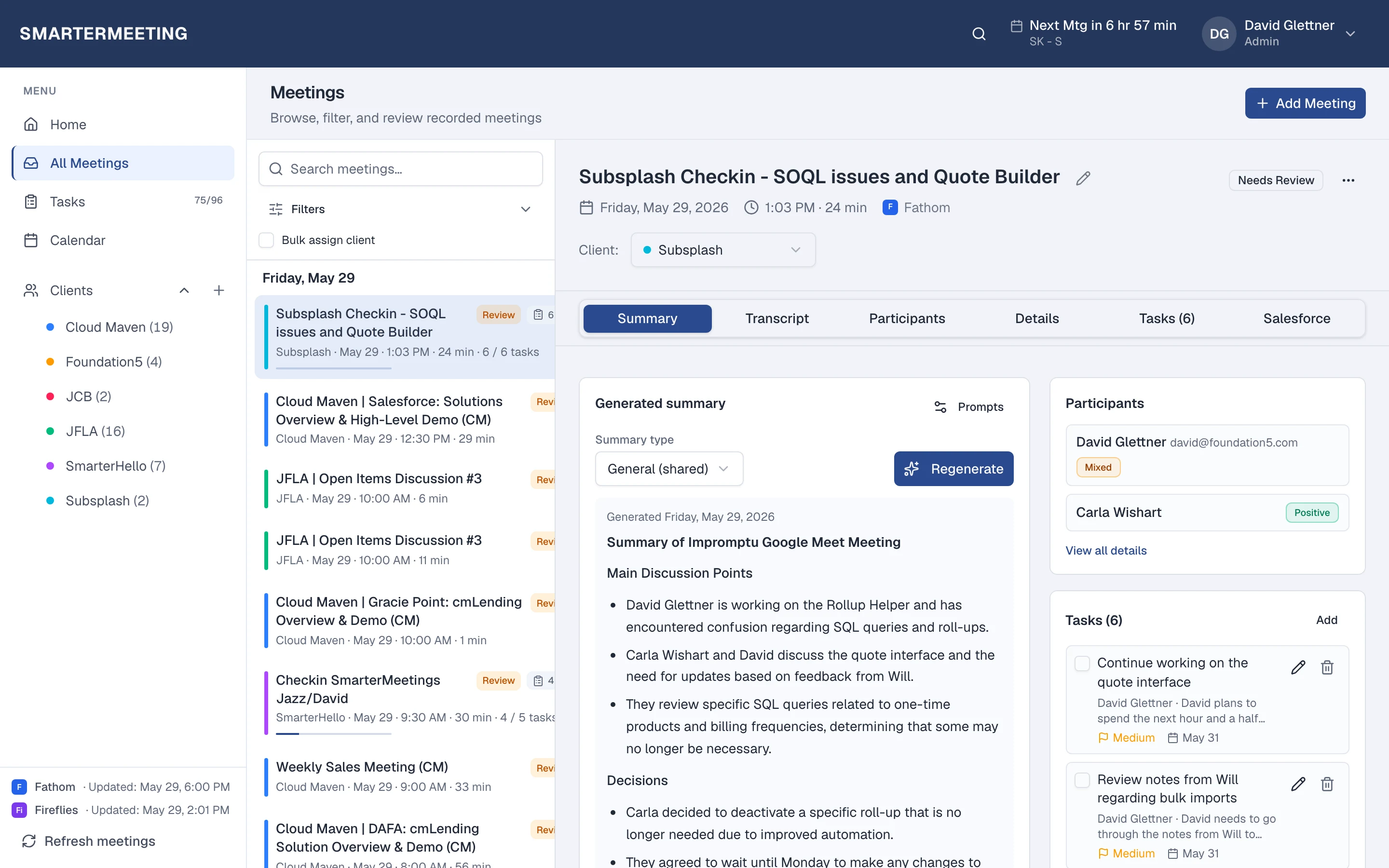
Webex calls in your unified inbox · actual workspace
What you see after sync
Every Webex meeting appears in the same list as your other providers—with transcript, summary, tasks, and client tags on the detail panel. Filter by provider when you want only Webex, or by client when you need the full account story across every recorder your team uses.
Review status shows partners which calls still need a pass before the next engagement. Open tasks roll up to the home dashboard so Monday prep isn't a scavenger hunt through forwarded recap links.
Explore all features →Wondering how Webex alone compares to adding SmarterMeetings? Read: Webex vs SmarterMeetings →
Related integrations
Frequently asked questions
- Do I keep using Webex?
- Yes. Webex continues to capture and summarize your calls. SmarterMeetings syncs those meetings into one workspace for client tags, tasks, and review—without replacing your recorder.
- How often does Webex sync?
- You choose a schedule (weekday business hours by default) or click Refresh meetings anytime after connecting in Settings.
- Which SmarterMeetings plan do I need?
- All plans include multi-provider sync and tasks. Personal Pro and Team add Salesforce logging when you need CRM push from synced meetings.
- Can I push Webex meetings to Salesforce?
- Yes, on Personal Pro and Team plans. Link records from the meeting detail, review AI-suggested field updates, and push summaries without copy-paste.