A meeting notes workflow that finishes the recording
Most teams already capture calls well. The gap is what happens in the next thirty minutes: finding the transcript, writing a recap, assigning owners, and making sure nothing disappears when someone is on PTO. This workflow uses SmarterMeetings as the operational layer above your notetaker—Fathom, Zoom, Fireflies, or any of our ten supported providers.
Start free trial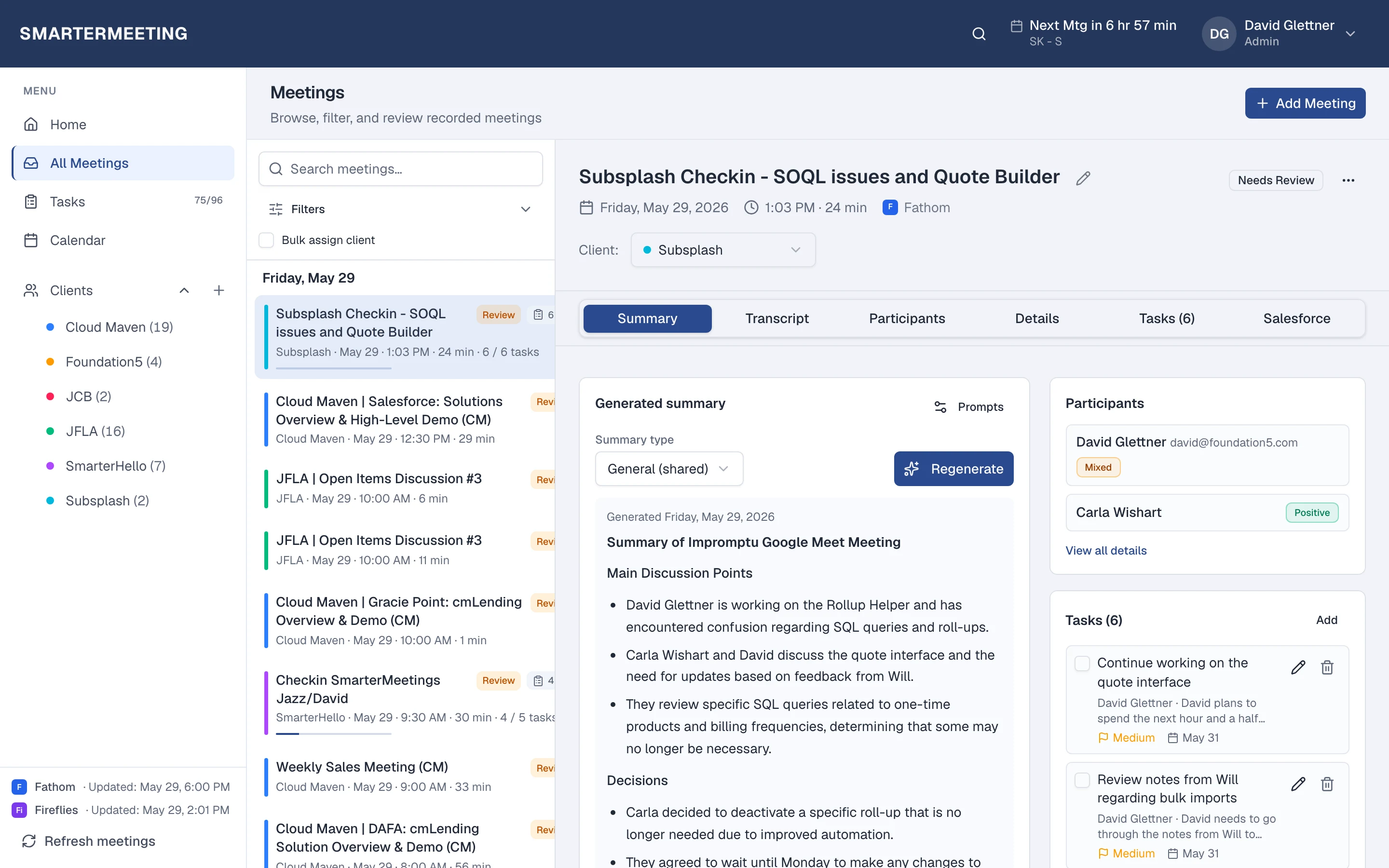
Sync recording
Any provider
Triage on Home
Unreviewed queue
Skim & extract
Summary + tasks
Tag client
Durable context
Mark reviewed
Partner QA
1. Sync recordings automatically
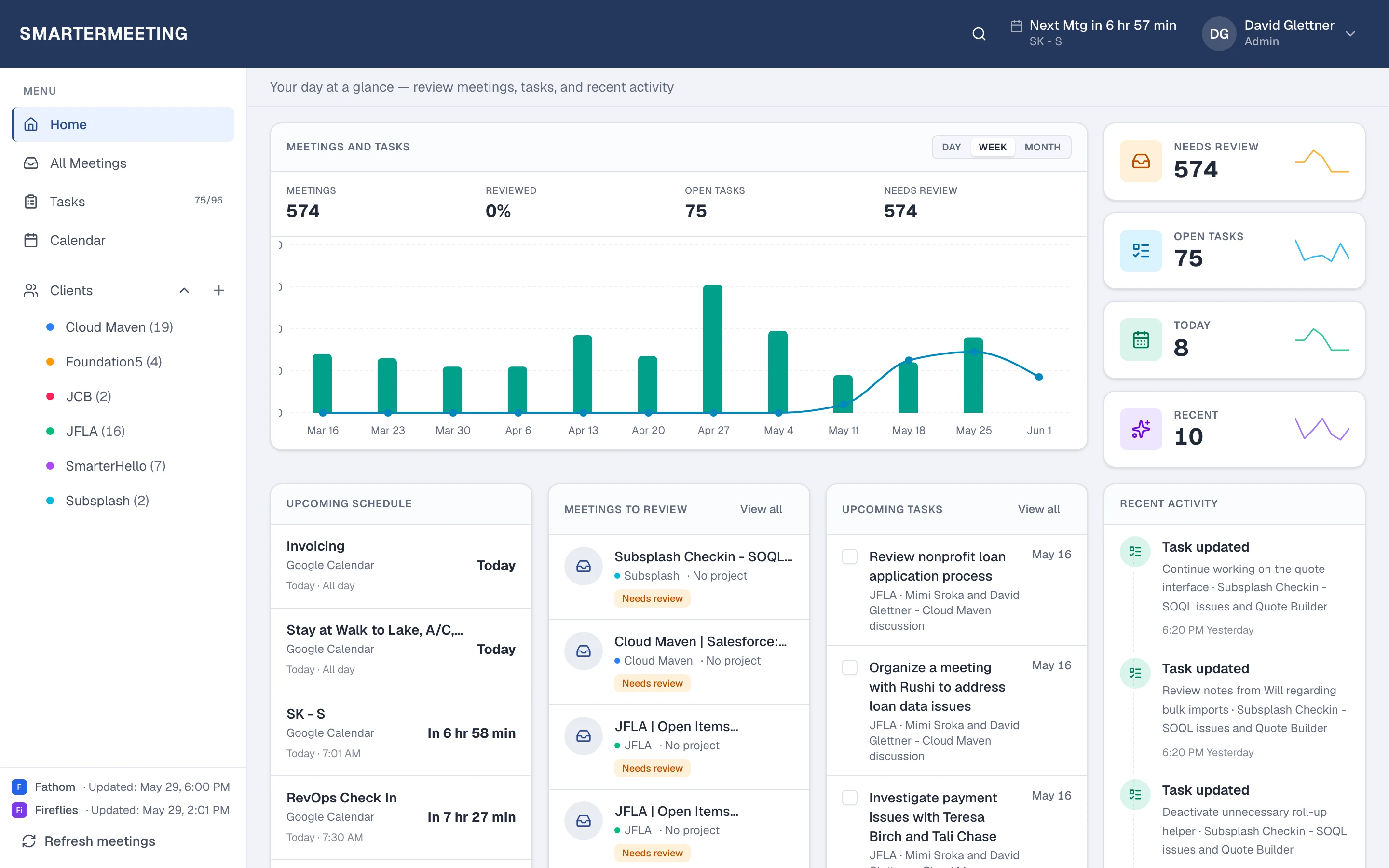
Connect each meeting provider once in Settings. SmarterMeetings pulls transcripts and provider summaries on a schedule you control (weekday business hours by default) or on demand from the sidebar.
Multiple accounts per provider are supported—common when agencies run separate Fathom workspaces per practice area or combine Fathom with Zoom cloud recordings.
2. Triage unreviewed calls from Home
Home surfaces recent and unreviewed meetings so Monday prep starts with a queue, not five browser tabs. Filter by provider or client when you need a narrower list.
Marking a call reviewed is a lightweight QA step: partners know which conversations still need client tags, task commits, or CRM push.
3. Read notes, then commit tasks
Open the meeting detail: skim the summary tab, jump to the transcript when you need exact wording, and run AI task extraction when you want suggested owners and due dates.
Your team edits suggestions before create—nothing lands in the task list without a human pass. Tasks stay linked to the meeting and client for weekly reviews.
4. Tag by client for durable context
Assign every external call to a client (bulk assign from the meeting list when you are clearing a backlog). Client view aggregates meetings and tasks so account leads change without losing history.
Optional: push approved outcomes to Salesforce on Personal Pro and Team plans—see our CRM meeting logging guide.
Search and filter by client before renewal or steering committee prep—partners should never ask three people for recap links again.
Frequently asked questions
- Do I need to stop using Fathom or Zoom?
- No. SmarterMeetings syncs from your existing recorder. You keep capturing calls the same way; we unify follow-up in one inbox.
- How long until a new call appears?
- After connecting a provider, the first sync may take a few minutes. Scheduled sync runs every 30–120 minutes during business hours, or use Refresh meetings anytime.