
Features
Everything you need after the call ends
SmarterMeetings connects your meeting tools, organizes conversations by client, and turns transcripts into follow-up your team actually completes—not another tab everyone forgets.
Whether you run a consultancy, an agency, or a revenue team, the pattern is the same: great capture, scattered follow-up. We built a workspace that sits above Fathom, Zoom, Teams, and the rest—so transcripts become tasks, client context survives turnover, and Salesforce stays current without re-keying.

Recordings become notes and tasks
SmarterMeetings syncs transcripts from Fathom, Fireflies, Zoom, Teams, and more—then gives you skimmable summaries, AI-extracted action items with owners, and one task list across every call.
All your meetings in one place
Combine multiple accounts per provider, sync on a schedule or on demand, and search every recording from one inbox with filters by client and review status—finish follow-up without exporting to Docs.
Organize by client and project
Tag calls to clients and projects, mark reviewed or unreviewed, and give partners a durable system of record when account leads change or contractors roll off an engagement.
AI that works on your meetings
Bring your own OpenAI, Gemini, or Claude keys. Run custom prompts to extract tasks, summarize long calls, answer questions about a client's history, and reuse templates per meeting type.
Salesforce, without copy-paste
Log calls with summaries attached, link Accounts, Contacts, Opportunities, and Leads, and apply AI-suggested field updates from transcript context on Personal Pro and Team plans.
Calendar and upcoming meetings
See what's on the calendar from connected meeting accounts and SSO—join links included—so prep and follow-up live in the same workspace you use after the call.
Participant sentiment
Surface how participants came across in the transcript—tone and engagement signals—so managers and consultants calibrate follow-up without re-watching hour-long recordings.
Built for teams
Shared workspaces, Google and Microsoft SSO, centralized integration admin, and seat-based Team billing that scales from solo operators to growing agencies.

Capture
Every provider, one searchable inbox
Most client-facing teams don't standardize on a single recorder. Partners use Fathom, sales lives in Zoom, and internal standups land in Teams or Google Meet. Without a hub, follow-up fragments across inboxes, shared drives, and forwarded recap emails.
SmarterMeetings connects up to ten meeting providers per workspace and syncs on a schedule you control—or on demand when you need a client folder current before a QBR. Filters by provider, client, and review status mean anyone can answer “what did we last discuss?” without opening five apps.
Team plans add shared workspaces and seat billing so growing agencies keep one system of record as headcount grows—not a patchwork of personal Fathom accounts.
Multi-account sync
Combine recordings from several Zoom or Fathom logins
Review status
Mark calls reviewed so nothing slips before the next touchpoint
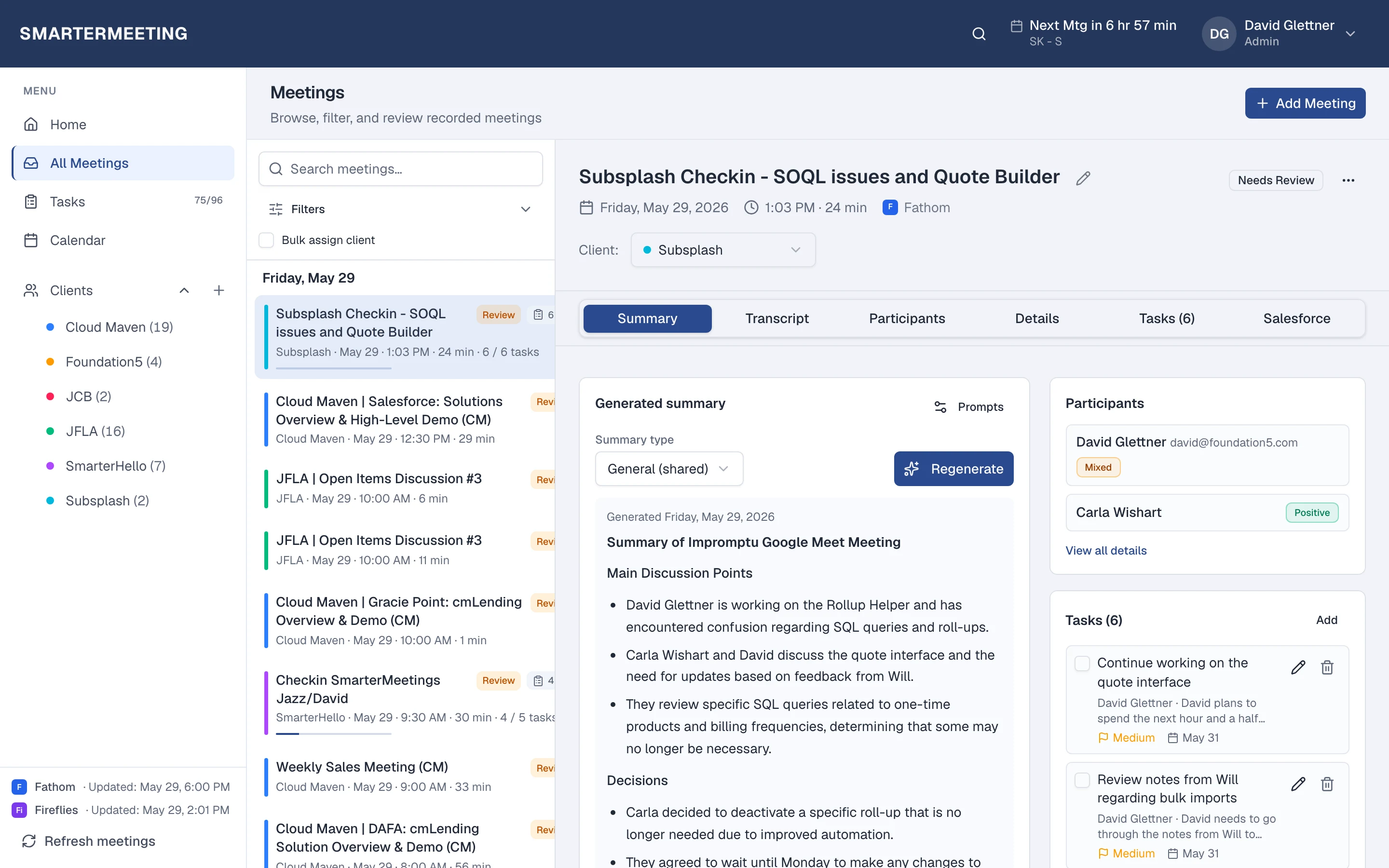
Actual workspace · live account
Understand
Transcripts, summaries, and AI that reads your history
Open any meeting and work the full transcript alongside the summary your recorder already produced—then go further with custom AI prompts. Extract action items, condense a sixty-minute discovery call, or ask what was promised to a client across the last three engagements.
Choose OpenAI, Google Gemini, or Anthropic Claude with your own API keys so usage stays under your policies and budgets. Prompts run in context of the meeting—and, where you've tagged clients, with awareness of how this call fits the account.
Participant sentiment analysis highlights tone shifts in the transcript so managers and consultants can calibrate follow-up emails and escalation paths without re-watching entire recordings.
Provider summaries preserved
Fathom, Fireflies, and Zoom summaries stay attached
Custom prompts
Reusable templates per client or meeting type
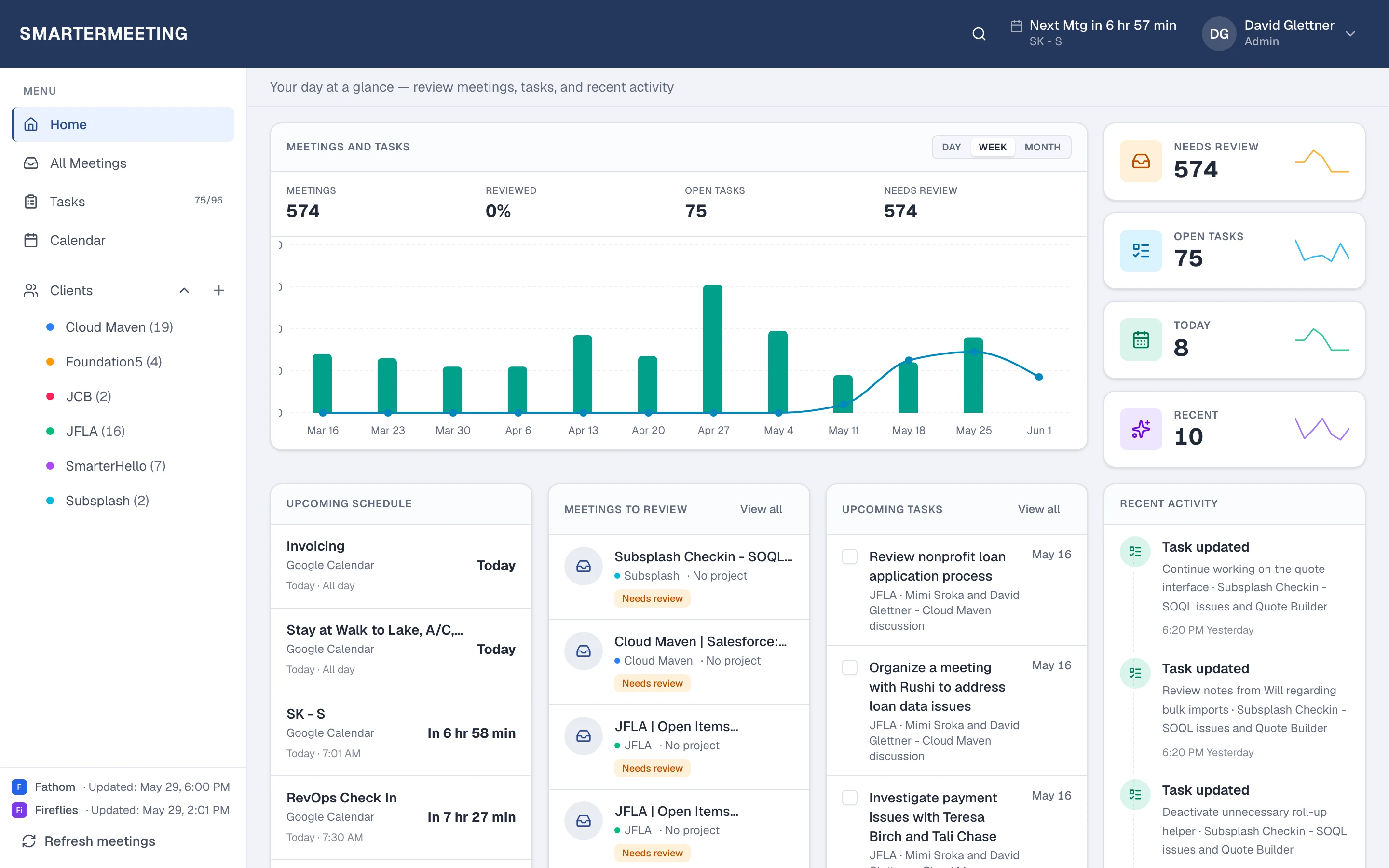
Actual workspace · live account
Organize
Client and project context that survives turnover
Tag meetings to clients and projects so context stays findable when account leads change or contractors rotate off an engagement. Mark calls reviewed or leave them flagged for partner prep—your whole team sees the same status instead of private spreadsheets.
The home dashboard surfaces recent and unreviewed meetings alongside open tasks, so Monday morning starts with a clear queue rather than hunting through Slack threads for “who was going to send the SOW?”
Consultancies running multiple workstreams per account can keep discovery, delivery, and renewal conversations separated by project while still rolling up to one client record for AI questions and reporting.

Act
Tasks that stay tied to the conversation
Action items extracted from transcripts live on the meeting they came from and roll up to workspace-wide task views. Assign owners, track open work from the dashboard, and close the loop before the next client call—not in a separate project tool nobody checks.
AI extraction suggests owners and due hints from phrasing in the transcript; your team edits and commits what matters. That hybrid keeps humans in control while cutting the minutes spent retyping “I'll send the deck Thursday” into a task list.
Calendar integration shows upcoming meetings from connected accounts and SSO calendars with join links when you need them, so prep and follow-up sit in the same product you use after the hang-up.
Cross-meeting tasks
See open items for a client across every recording
Upcoming meetings
Calendar view with providers and join links
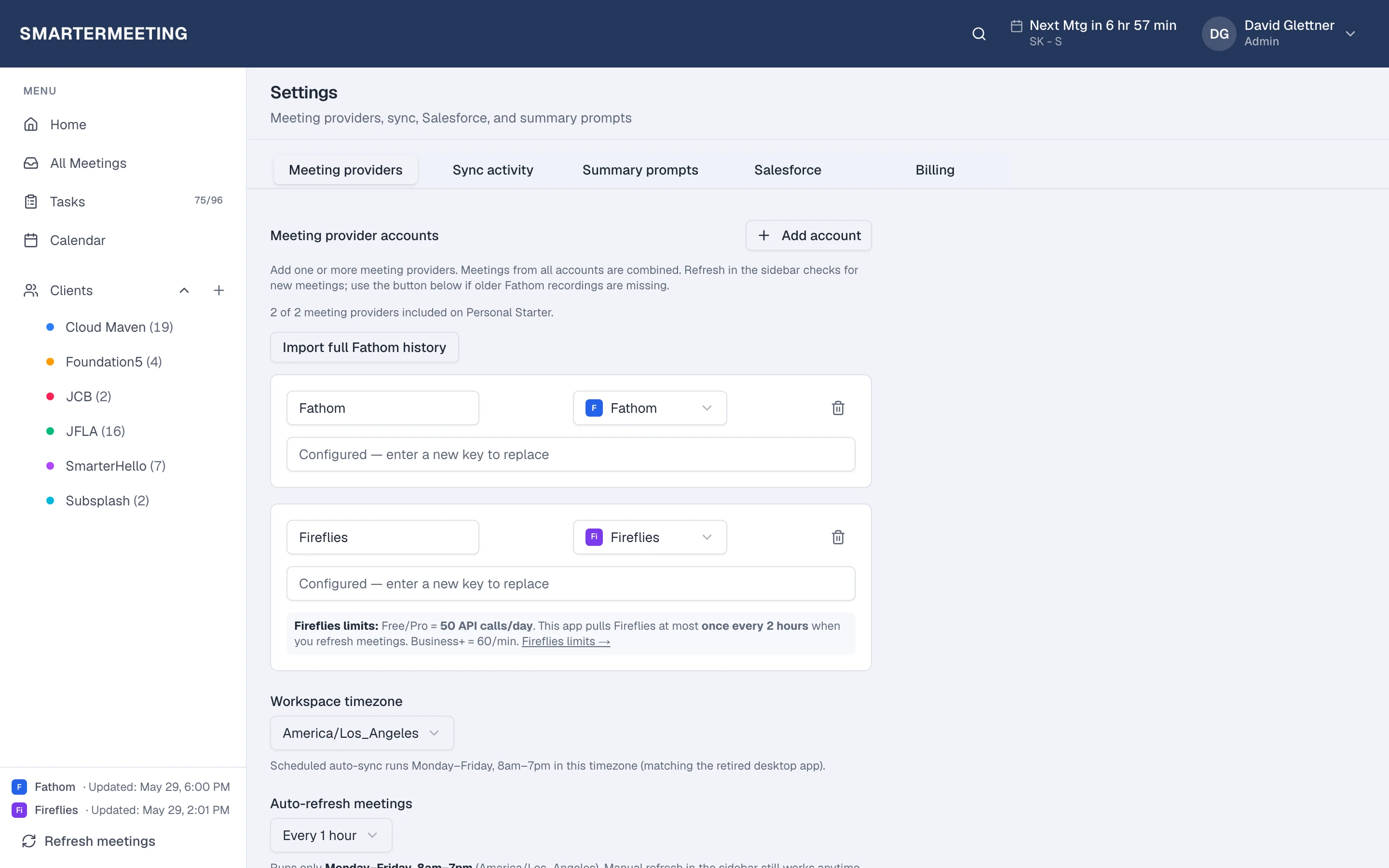
Actual workspace · live account
CRM
Salesforce updates without copy-paste
Revenue teams lose hours re-keying call notes into Salesforce. SmarterMeetings pushes meeting summaries as call tasks, links Accounts, Contacts, Opportunities, and Leads, and surfaces AI-suggested field updates grounded in transcript context—so reps update pipeline while details are still fresh.
Personal Pro and Team plans include the integration; connect once in settings and every eligible meeting can log to the records your team already works in. No Zapier chain that breaks when someone rotates API keys.
For agencies with both delivery and sales motions, the same workspace that consultants use for client tagging feeds CRM hygiene for reps who live in video calls—one source of truth from capture to closed-won.
Call logging
Summaries attached as completed call activities
Record linking
Accounts, contacts, opportunities, and leads
Teams
Built for agencies and revenue orgs
Per-organization workspaces, Google and Microsoft SSO, and owner admin tools mean IT-light rollouts for twenty-person consultancies and fifty-seat sales pods alike. Seat-based Team billing scales with active members while enforcing a sensible minimum for shared infrastructure.
Owners manage meeting provider connections, AI keys, and Salesforce org linkage centrally—individual contributors focus on review and follow-up instead of integration archaeology.
Whether you're a solo operator on Personal Starter or a growing shop standardizing client delivery, the same product grows with you without migrating meeting history to a “real” plan later.
Frequently asked questions
- Does SmarterMeetings replace Fathom or Zoom?
- No. SmarterMeetings enhances the recorders and platforms you already use. Keep recording the same way—we unify follow-up in one inbox with client tags, tasks, and optional Salesforce.
- Do I need my own AI API keys?
- Yes. Bring your OpenAI, Gemini, or Claude API key for summaries, task extraction, and Ask about client. Keys are encrypted and masked in the UI.
- Is there a free trial?
- Yes. Start a 7-day free trial on any plan—connect a meeting provider and see synced calls in minutes.
- Which plans include Salesforce?
- Personal Pro and Team include Salesforce call logging and rep-approved field updates. Personal Starter focuses on capture and tasks.
- Can teams share one workspace?
- Team plans add organization tenancy, shared workspaces, seat billing, and SSO—built for agencies and revenue pods.
Related reading
Workflow guides & related articles
Turn recordings into skimmable summaries, owned tasks, and client-ready follow-up—without exporting transcripts or retyping action items.
- Meeting notes workflow guideFrom recording to reviewed notes and committed tasksRead more →
- Agency meeting ops guideRead more →
- Meeting intelligence for consultantsRead more →
- Multi-provider meeting inboxRead more →
- Turn transcripts into tasksRead more →
- Meeting follow-up checklistRead more →
- Unified meeting inbox guideRead more →
- Meeting notes for agenciesRead more →
- Use case: agenciesRead more →
Browse all topics on the guides hub.