
Integrations
Connect every meeting tool you use
Your team already records with the tools that fit each call—Fathom for clients, Zoom for sales, Teams for internal syncs. SmarterMeetings doesn't replace them; it unifies follow-up in one workspace with client tags, tasks, and optional Salesforce sync.
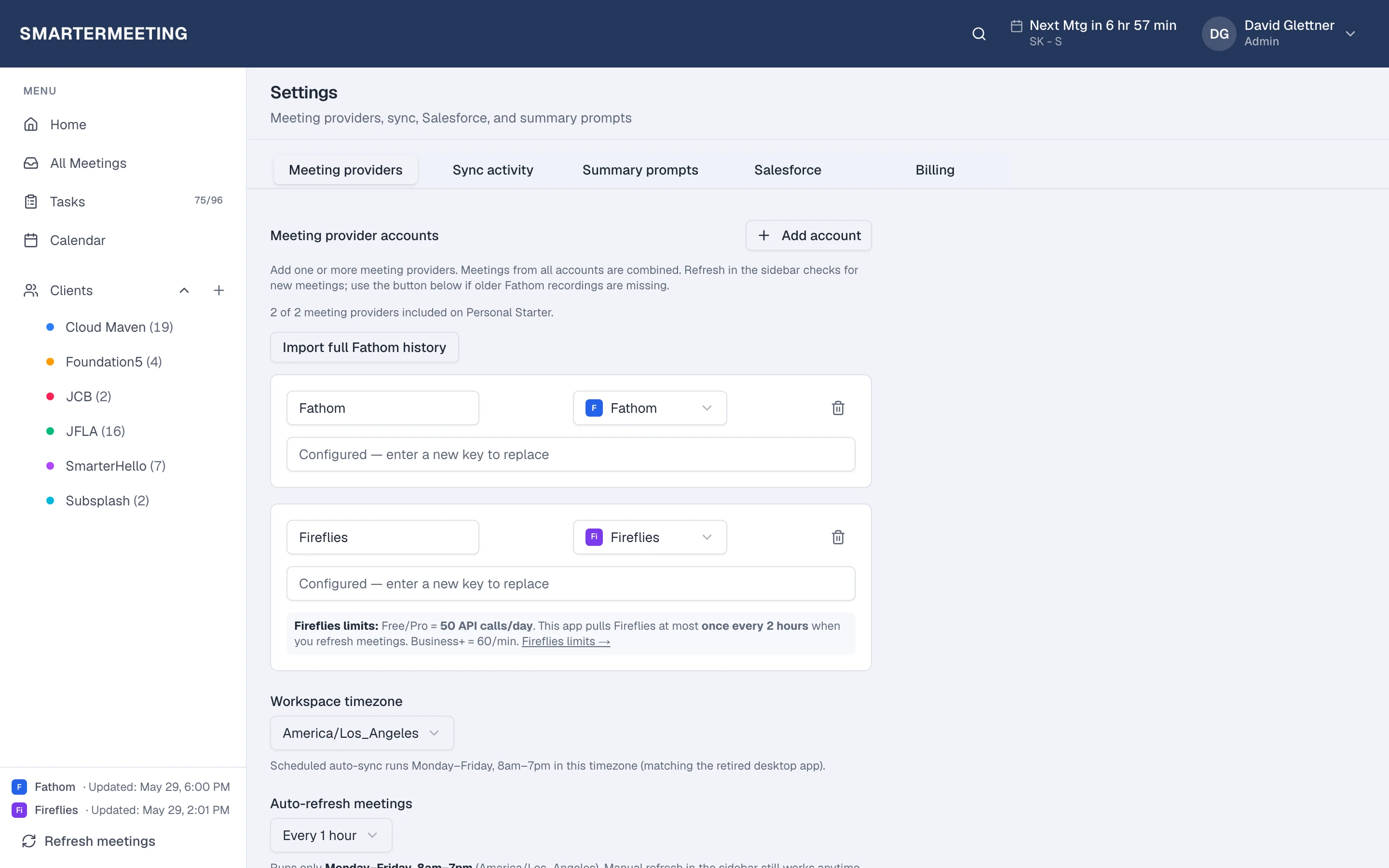
Connect with API keys or OAuth depending on what each vendor requires. Set a sync schedule per account or pull on demand before a QBR. Every recording lands in the same searchable inbox with transcripts, provider summaries, and review status your whole team shares.
Ten meeting providers plus Salesforce means you can standardize process without standardizing capture. New hires keep using the recorder they know; managers see every client conversation in one place.








Each provider has a dedicated setup guide with screenshots, use cases, and links to comparison articles where relevant.
Salesforce
Log calls, link Accounts and Opportunities, push summaries as tasks, and apply AI-suggested field updates from meeting context. Personal Pro and Team plans include call logging, record linking, and AI-suggested updates—so reps stop re-keying transcripts after every client Zoom.
Learn about Salesforce integration →
The problem
Follow-up breaks when capture is fragmented
Forwarding recap emails doesn't scale. Spreadsheets of “last call notes” go stale the week someone is on PTO. CRM activity logs stay empty because re-keying transcripts after every Zoom is nobody's favorite work.
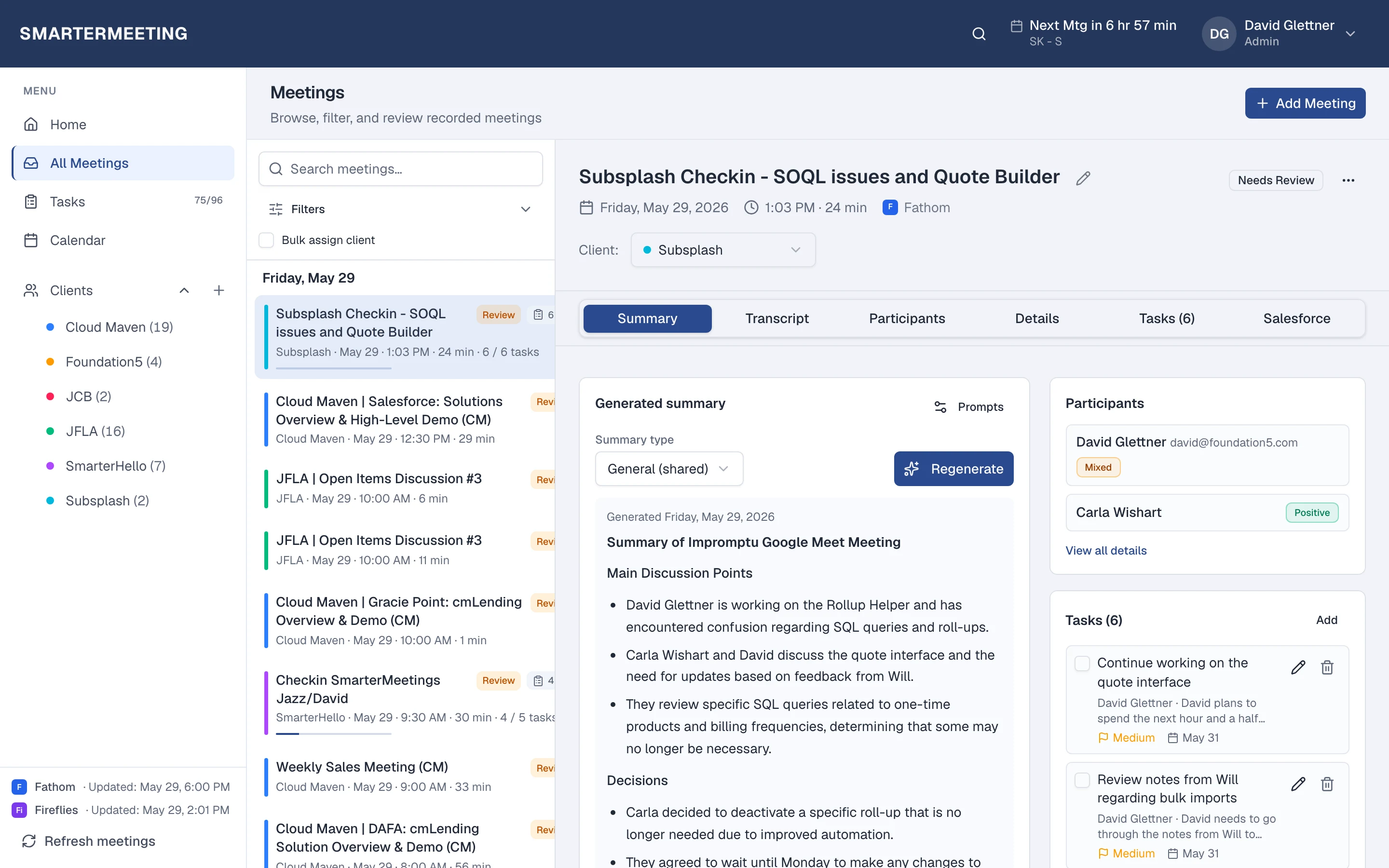
SmarterMeetings sits above your recorders: sync in, organize by client, extract tasks, push summaries to Salesforce on eligible plans. The recorder keeps doing capture; your team gets a system of record for what happens after hang-up.
Actual workspace · live account
In the product
One inbox for every integration
Filter by provider, client, or reviewed status. Open a meeting to work transcript, summary, tasks, and Salesforce in a single detail view—whether the source was Fathom, Fireflies, or a native Zoom cloud recording.
Multi-account teams connect several logins of the same provider (e.g. two Fathom workspaces) without merging data manually. Each syncs on its own schedule into the shared list.
Actual workspace · live account
Setup
Minutes to connect, not a services project
Owners add API keys or complete OAuth flows in Settings. AI model keys and Salesforce org linkage live beside meeting accounts so onboarding is one checklist—not a ticket queue with your IT vendor.
Personal plans suit solo operators; Team plans add shared workspaces, SSO, and seat billing for agencies rolling out the same integration playbook to every consultant.
Related reading
Integration setup guides & comparisons
Connect Fathom, Fireflies, Zoom, Teams, Google Meet, and seven more providers into one workspace—API keys or OAuth where each vendor requires it.
- Fathom integrationRead more →
- Zoom integrationRead more →
- Microsoft Teams integrationRead more →
- Fathom and Zoom in one workspaceRead more →
- Multi-provider meeting inboxRead more →
- Multi-provider meeting stacksRead more →
- Integration rollout playbookRead more →
Browse all topics on the guides hub.