
Comparison guide
Zoom meeting notes for CRM: capture in Zoom, finish in one workspace
Keep Zoom for video. Add a workspace for client organization, tasks, and CRM sync across every meeting tool your team uses.

Zoom is excellent at hosting calls and, with AI Companion, generating in-meeting summaries. For many teams, that is where the workflow stops—notes live in Zoom, follow-up lives in email, and CRM updates happen later (if at all).
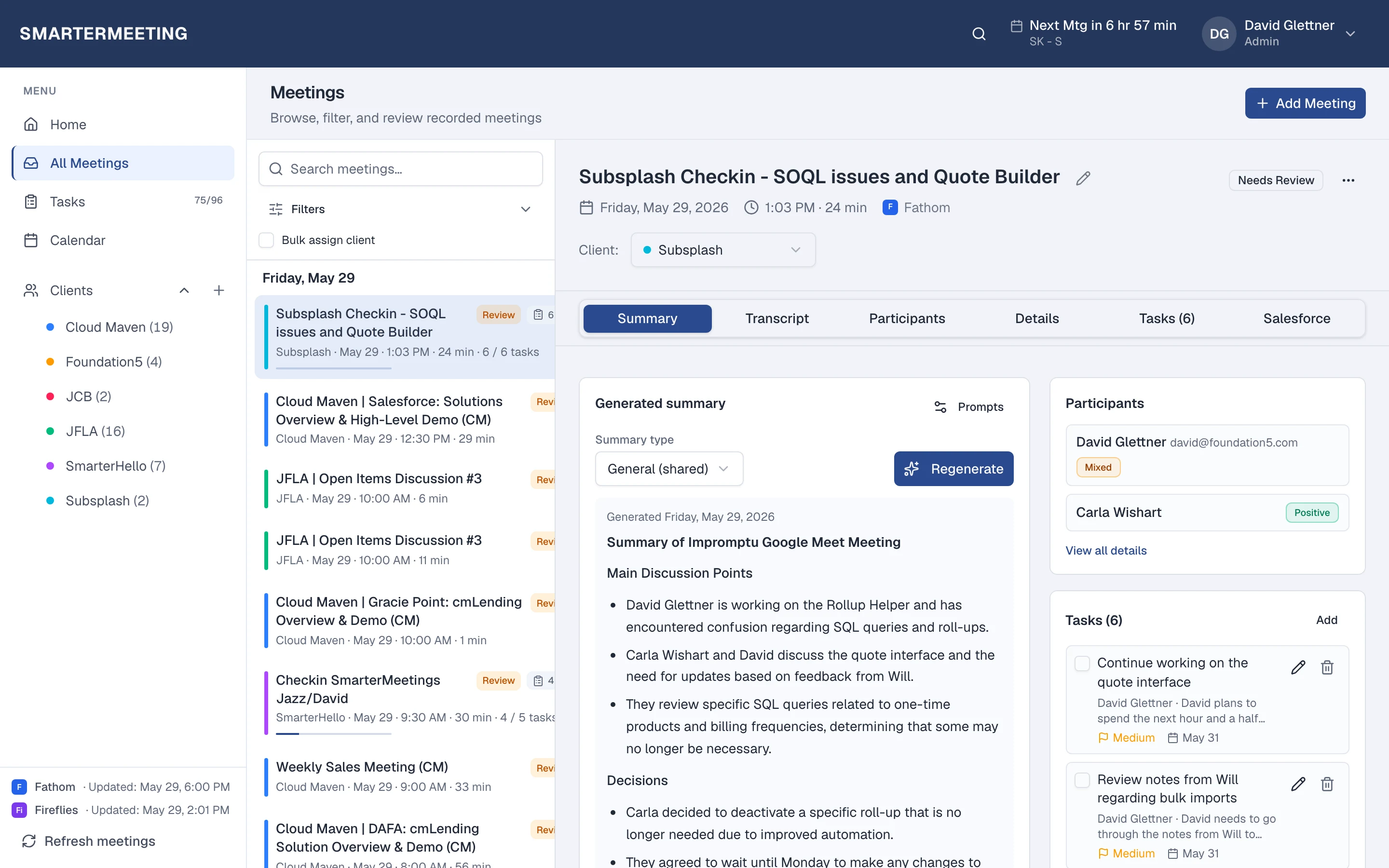
SmarterMeetings does not replace Zoom. It connects to Zoom via OAuth, syncs meetings into one workspace, and adds the layer most client-facing teams need: client tagging, review status, tasks, and optional Salesforce logging.
Zoom AI Companion & cloud recordings vs SmarterMeetings
A side-by-side view of what each tool is built for—not a replacement, but complementary roles in your stack.
| Capability | Zoom AI Companion & cloud recordings | SmarterMeetings |
|---|---|---|
| Video meetings in Zoom | Yes — core Zoom | Uses Zoom; syncs meetings into workspace |
| AI summaries in Zoom | Yes — AI Companion (plan-dependent) | Provider summary + custom prompts in workspace |
| Search all client meetings across tools | Zoom-only search | Unified inbox across 10+ providers |
| Tag by client / project | Limited / manual | Built-in client & project organization |
| Task tracking from meetings | Not a task system | Tasks linked to meetings with owners |
| Salesforce call logging | Manual or separate integration | Native Salesforce sync on eligible plans |
| Reviewed vs unreviewed workflow | No team review queue | Review status for account teams |
When Zoom AI Companion & cloud recordings is enough
- You only use Zoom and rarely need cross-call client history
- Internal standups where CRM and client tags are not required
- A single rep who owns their own notes end-to-end
When teams add SmarterMeetings
- Client calls span Zoom, Teams, and other recorders
- You need one inbox to prep for the next meeting
- Tasks must have owners and tie back to the meeting
- Salesforce should reflect what was said on the call

SmarterMeetings connects to Zoom via OAuth. See setup details on the Zoom integration page.
How teams use both together
- 1
1. Connect Zoom
Authorize Zoom in SmarterMeetings Settings. Meetings sync on your schedule.
- 2
2. Review in one inbox
Open the meeting, review notes, extract tasks, and tag the client.
- 3
3. Push follow-up to CRM
Log a structured summary to Salesforce without copy-paste from Zoom.
Frequently asked questions
- Does SmarterMeetings replace Zoom?
- No. Your team still hosts calls in Zoom. SmarterMeetings syncs meeting content and helps you organize follow-up, tasks, and CRM updates in one workspace.
- Can I use Zoom AI Companion and SmarterMeetings together?
- Yes. SmarterMeetings imports Zoom meeting content so you can search, tag clients, assign tasks, and sync to Salesforce from one place.
- What if we also record with Fathom or Fireflies?
- Connect those providers too. All meetings appear in the same SmarterMeetings inbox alongside Zoom.