
Comparison guide
Google Meet notes stay in Workspace. Client follow-up needs a home.
Sync Meet alongside Zoom, Teams, and Fathom—one process for every client conversation.

Google Meet and Workspace give many teams meeting notes and increasingly capable AI assistance. That works well when every stakeholder lives in Google Docs and Chat. Client-facing teams often still run external calls on Zoom or use dedicated recorders like Fathom—and Meet notes do not automatically become Salesforce tasks.
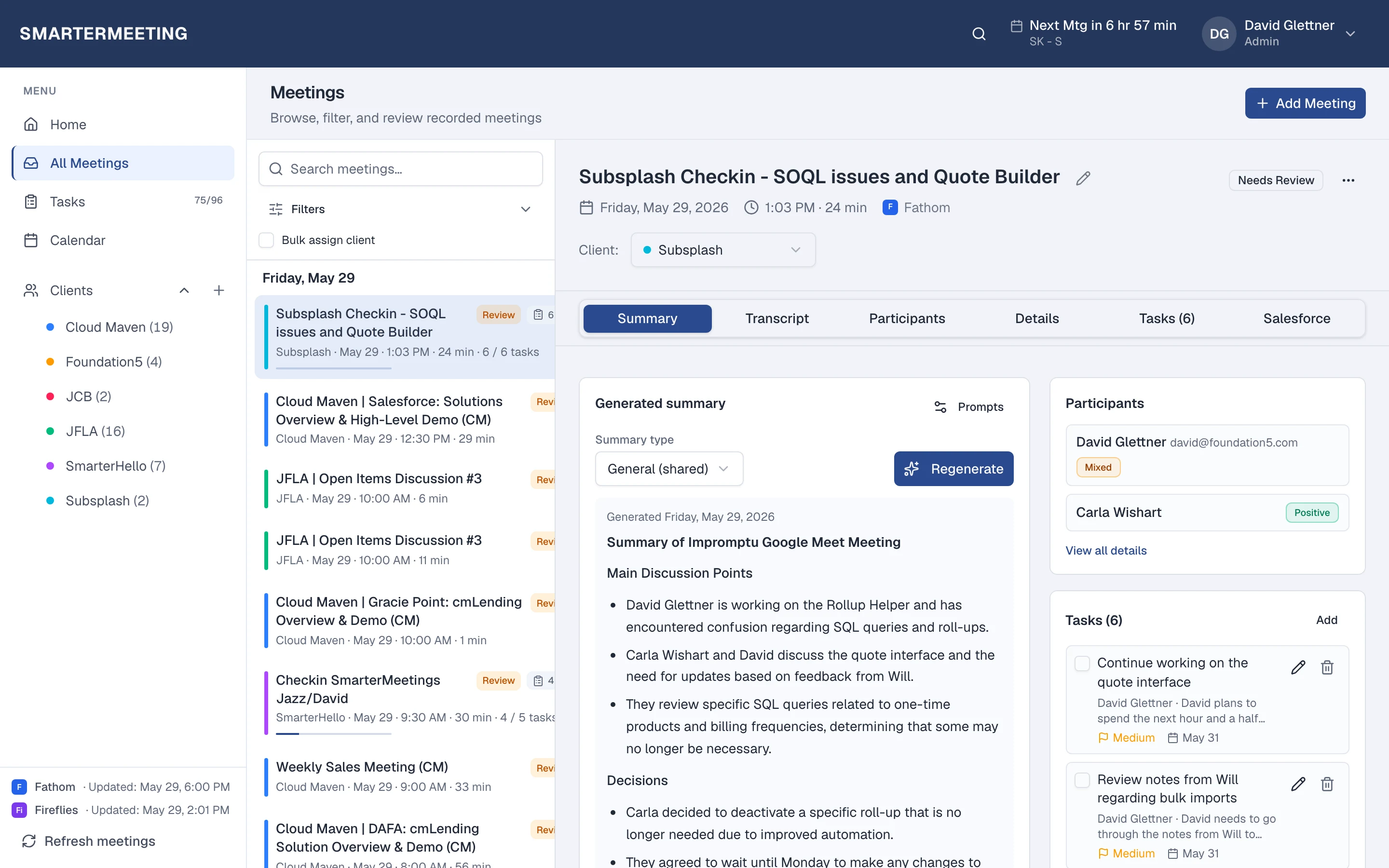
SmarterMeetings connects Google Meet via OAuth and treats Meet the same as every other provider in your inbox.
Google Meet & Gemini in Workspace vs SmarterMeetings
A side-by-side view of what each tool is built for—not a replacement, but complementary roles in your stack.
| Capability | Google Meet & Gemini in Workspace | SmarterMeetings |
|---|---|---|
| Gemini / Workspace AI | Yes — Google AI (licensing) | Custom prompts on synced meetings |
| Multi-provider inbox | Meet-only | All connected providers |
| Client organization | Drive folders / manual | Client tags & review status |
| Salesforce sync | Manual | Native integration |
When Google Meet & Gemini in Workspace is enough
- 100% Google Workspace with no external recorders
- Light follow-up without CRM requirements
When teams add SmarterMeetings
- Mixed Google Meet + Zoom client calls
- Agencies that tag work by client account
- You need Salesforce logging from Meet calls

SmarterMeetings connects to Google Meet via OAuth. See setup details on the Google Meet integration page.
How teams use both together
- 1
1. Connect Google Meet
OAuth with your Workspace account.
- 2
2. Tag client meetings
Organize by account during review.
- 3
3. Log to Salesforce
Push summaries when the call affects pipeline.
Frequently asked questions
- Does SmarterMeetings replace Google Meet?
- No. You still meet in Google Meet. SmarterMeetings syncs content for follow-up and CRM.
- Can we use Meet and Zoom for different clients?
- Yes. Both sync into the same SmarterMeetings workspace.